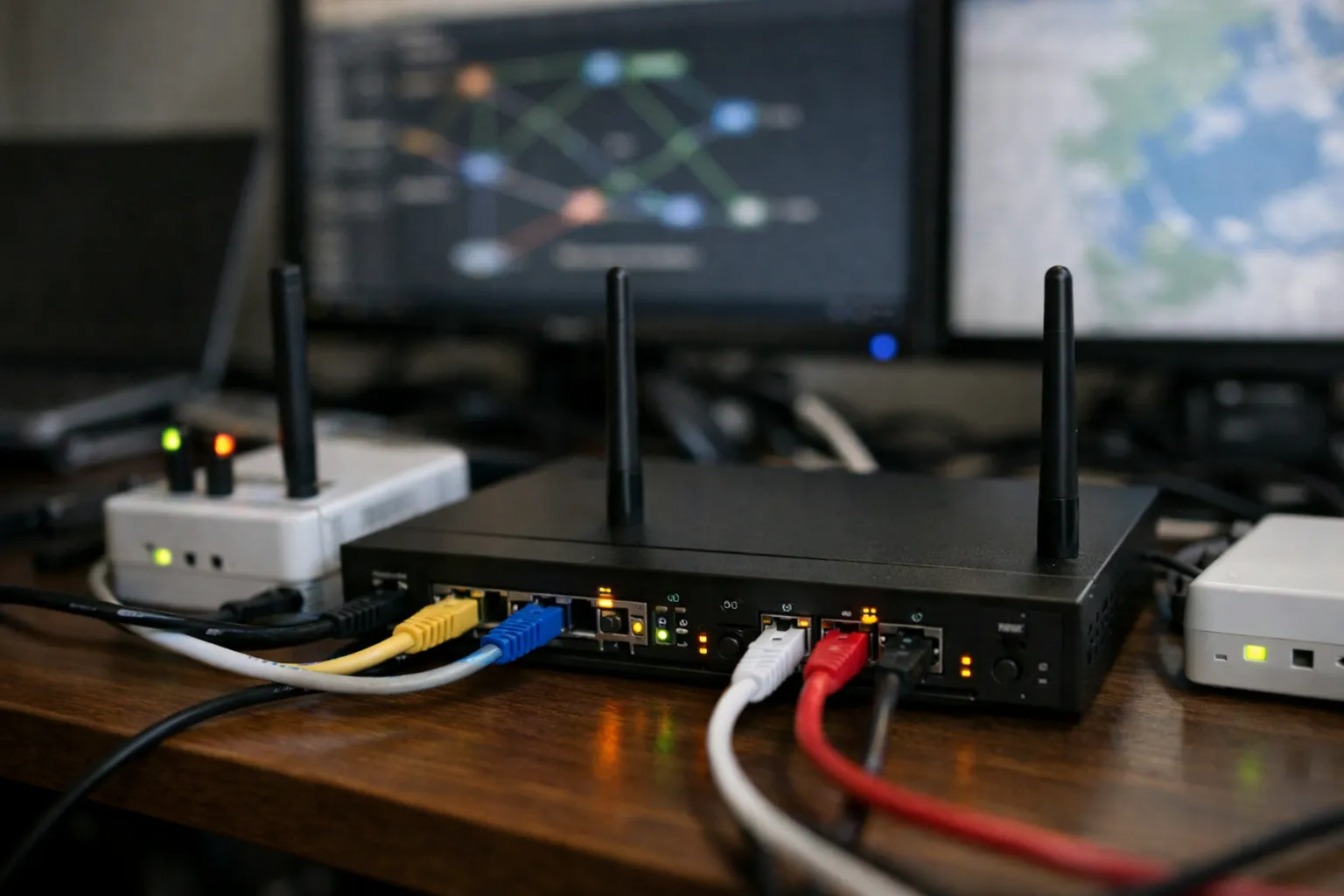
What you'll learn: how to build a resilient, low‑leak multi‑provider VPN gateway on OpenWrt in 2026 — WireGuard-first client setup, per‑device routing policies, latency‑aware failover, DNS hardening, and IPv6 leak prevention. This is for VPN enthusiasts who run a home or small‑office gateway and want deterministic routing (phones on Provider A, streaming boxes on Provider B, IoT on the WAN).
Prerequisites and context (2026)
Since 2023–2026 the ecosystem matured in three ways that change how you build a gateway:
- WireGuard has become the dominant protocol across consumer VPN providers for speed and scalability; most providers now publish stable endpoint IPs and recommend WireGuard for router deployments.
- OpenWrt distributions widely support nftables and ipsets in addition to the legacy iptables stack. Many contemporary guides use nftables for packet marking and filtering — but ip rule/ip route remain the mechanism for routing policy.
- IPv6 deployment from ISPs is common; you must treat IPv6 routing and leak prevention explicitly.
What you need:
- An OpenWrt‑capable router or SBC with sufficient CPU (ARM64 recommended) and 256+ MB RAM. For WireGuard throughput, check that your SoC has crypto acceleration (ARMv8 crypto extensions) if you plan >200 Mbps.
- Two or more VPN provider accounts with WireGuard support. If you need obfuscation for restrictive networks, choose providers offering stealth options (obfs, Shadowsocks, WireGuard-over-QUIC).
- Familiarity with SSH, editing files on OpenWrt, and basic network troubleshooting.
- OpenWrt packages: luci-app-wireguard, wireguard-tools, mwan3 (or a custom script), luci-app-sqm, ipset, nftables (or iptables if you prefer). dnscrypt-proxy or cloudflared for local DNS is highly recommended.
Why this topology matters
A gateway that runs multiple VPN clients delivers:
- Automatic failover when a provider has outages or routing incidents.
- Performance‑aware routing: pick the provider with the best RTT for interactive devices.
- Per‑device / per‑VLAN policies so only selected hosts use a VPN — improves compatibility with corporate services and local discovery.
- Centralized DNS control to avoid leaks and inconsistent name resolution.
Step 1 — Install and verify packages
- SSH into your router: ssh root@192.168.1.1
- Update feeds and package list:
opkg update
- Install core packages (adjust names if your OpenWrt snapshot differs):
opkg install luci-app-wireguard wireguard-tools mwan3 luci-app-mwan3 luci-app-sqm ipset nftables dnscrypt-proxy
- Enable and start dnscrypt-proxy (or cloudflared) and ensure luci is reachable:
/etc/init.d/dnscrypt-proxy enable
/etc/init.d/dnscrypt-proxy start
Why: dnscrypt/cloudflared gives a local resolver you can pin to the LAN and force through VPNs to prevent DNS leaks. nftables + ipset are the modern way to classify and mark traffic on OpenWrt.
Step 2 — Add WireGuard client configurations (WireGuard preferred)
- Create two WireGuard interfaces: wg-vpnA and wg-vpnB. Use provider‑supplied keys and endpoints.
- Example minimal wg-vpnA file (/etc/wireguard/wg-vpnA.conf):
[Interface]
PrivateKey = <your_private_key>
Address = 10.66.1.2/32
DNS = 127.0.0.1

[Peer]
PublicKey = <provider_pubkey>
Endpoint = 203.0.113.10:51820
AllowedIPs = 0.0.0.0/0, ::/0
PersistentKeepalive = 25
- On OpenWrt add the interface via LuCI (Network → Interfaces) or link the config under /etc/config/network and call procd to bring it up.
Why: WireGuard performs better on small CPUs and is easier to troubleshoot. Set DNS to 127.0.0.1 so the resolver sees the interface-local queries first when the tunnel is active.
Step 3 — Create routing tables and rules
- Edit /etc/iproute2/rt_tables and append:
200 vpnA
201 vpnB
- After bringing up each interface, create a routing table pointing default to that device:
ip route add default dev wg-vpnA table vpnA
ip route add default dev wg-vpnB table vpnB

ip rule add fwmark 0x100 table vpnA pref 1000
ip rule add fwmark 0x200 table vpnB pref 1001
- Persist: place these in /etc/hotplug.d/iface or use UCI hotplug scripts so tables update when an interface restarts.
Why: multiple tables isolate default routes for each VPN so marked flows follow the intended tunnel even when the system default route changes during failover.
Step 4 — Mark traffic by device (per‑device policies)
Use ipset+nftables (preferred) or iptables if you have legacy constraints.
- Create ipsets for each policy:
ipset create vpnA hash:ip family inet
ipset create vpnB hash:ip family inet
ipset create bypass hash:ip family inet
- Add devices by static DHCP lease hook or manually:
ipset add vpnA 192.168.1.42   # phone
ipset add vpnB 192.168.1.51   # streaming box
ipset add bypass 192.168.1.100 # IoT hub
- Mark packets using nftables (example table/mangle chain):
nft add table inet mangle nft 'add chain inet mangle prerouting { type filter hook prerouting priority 0 ; }' nft add rule inet mangle prerouting ip saddr @vpnA meta mark set 0x100 nft add rule inet mangle prerouting ip saddr @vpnB meta mark set 0x200 - Confirm ip rule mapping exists (from Step 3) so marked packets use the vpnA/vpnB tables.
Why: ipset lets you maintain device lists with low CPU overhead. Use DHCP lease hooks to keep sets in sync with hostnames and MACs.
Step 5 — Automatic failover & latency-aware selection (mwan3 vs scripts)
Two practical approaches remain current in Oct 2026:
Option A — mwan3 (recommended for ease)
mwan3 integrates with OpenWrt and supports health checks, configurable thresholds, and policy routing. Create two members (wg-vpnA and wg-vpnB), set healthcheck IPs to the provider endpoints or stable internet IPs behind them, and create policies that prefer vpnA but failover to vpnB on loss.
Why: mwan3 handles flapping protections, weights, and persistence, and Luci simplifies configuration.
Option B — Custom latency‑aware selector (advanced)
- Run a lightweight monitoring script on the router (every 5–15s) that probes each provider endpoint with TCP/TCP-SYN/tcping to measure RTT and packet loss. Prefer probing the provider's stable IP (not DNS names) to avoid DNS influencing results.
- Apply hysteresis: require 2–3 consecutive failures or an RTT delta > 100ms for 30s before switching.
- When switching, update the ip rule priorities or swap a symlinked nftables config used by the packet‑marking logic, then notify via logger — e.g., logger -t vpn-gateway "Failover: vpnA->vpnB (rttA 250ms)".
Why: custom scripts give precise control (you can prefer lower jitter or packet loss for gaming devices) but require careful testing to avoid flapping and routing loops.
Step 6 — DNS hardening & leak prevention (including IPv6)
- Run a local resolver bound to 127.0.0.1 (dnscrypt-proxy or cloudflared). In /etc/config/dhcp set option noresolv '1' and list 127.0.0.1 as the only server.
- Block outbound DNS from LAN to external servers so devices can't bypass the resolver:
nft add rule ip filter forward iif "lan" udp dport 53 drop
nft add rule ip filter forward iif "lan" tcp dport 53 drop
Also block IPv6 DNS:nft add rule ip6 filter forward iif "lan" udp dport 53 drop nft add rule ip6 filter forward iif "lan" tcp dport 53 drop
- Ensure that when a device is routed via a VPN you either:
- Forward DNS over that VPN (configure resolver upstreams per tunnel using dnscrypt profiles), or
- Allow the resolver to use provider DNS resolvers only when the associated wg interface is up.
- Explicitly handle IPv6: if you don’t want IPv6 over the ISP, block global IPv6 from LAN and create ip6 rules to route selected devices only via the VPN. Example: set AllowedIPs in WireGuard to include ::/0 to ensure IPv6 flows into the tunnel; otherwise add ip6tables/nft rules to DROP global IPv6 egress from LAN to prevent leaks.
Why: DNS and IPv6 are the most common sources of leaks. In 2026 many routers and providers enable IPv6 by default, so deliberate policy is essential.
Step 7 — SQM and performance tuning
- Enable SQM on the physical WAN interface to cure bufferbloat. Set realistic upstream/downstream bandwidth (90% of your ISP speed as measured by speedtest.net from a wired host).
- If you see CPU saturation on VPN throughput, consider:
- Enabling hardware crypto acceleration (if your SoC supports it).
- Using WireGuard rather than OpenVPN for best CPU efficiency.
- Moving high‑throughput devices to a dedicated VLAN with less policy marking if they don't need VPN.
Operational hardening
- Set PersistentKeepalive (25s) for WireGuard peers behind NAT.
- Log failover events using logger for later analysis; rotate logs to avoid flash wear.
- Lock down SSH (LAN only, key auth) and keep OpenWrt and packages updated (apply critical security patches quarterly at minimum).
- Verify routing, DNS, and leaks after every change with tools: curl ifconfig.me, ipinfo.io, DNS leak test sites, and IPv6 test pages.
- Check provider policies: many vendors limit simultaneous active sessions per account — either use dedicated router‑friendly plans or separate accounts to avoid service blocks during frequent reconnections.
Common mistakes and how to avoid them
- Not handling IPv6: If AllowedIPs lacks ::/0, IPv6 can bypass the tunnel. Test with an IPv6‑only site and block unwanted egress.
- Flapping due to aggressive probes: Use higher probe intervals and require multiple failures before switching.
- DNS left to ISP: Forgetting to set noresolv or leaving DHCP options that point to ISP DNS will leak queries. Force DNS to the local resolver and block alternate 53 egress.
- Assuming IPs are stable: Providers sometimes rotate endpoint IPs. Probe the provider's published stable address or use the provider's recommended health check targets.
Pro tips (advanced)
- Use split policy for corporate devices: route only corporate subnets via the corporate tunnel and send everything else via the default VPN or WAN.
- Instrument monitoring with a small Prometheus exporter on a LAN host to graph RTT, packet loss and failover events. Grafana dashboards make long‑term reliability visible.
- For streaming geo‑unblocking, use provider endpoints tied to required regions instead of generic gateways; pin those endpoints in dnscrypt profiles to avoid DNS-based regional resolution issues.
- If you host services locally, use policy‑based NAT and port forwarding only on the WAN interface; avoid exposing services through VPN interfaces unless intentional.
Real‑world mappings and examples
Example policy map that many users adopt:
- Phones & gaming laptops — vpnA (lowest RTT provider)
- Streaming boxes — vpnB (country‑specific exit)
- Work laptop — bypass (direct WAN with corporate split‑tunnel)
- IoT devices — bypass (local LAN discovery)
Implement with static DHCP leases, ipset membership, and the nftables marking rules outlined above.
Wrap‑up and next steps
This 2026 update focuses on WireGuard as the first choice, explicit IPv6 handling, nftables + ipset for efficient packet classification, and pragmatic failover using mwan3 or a well‑tested script with hysteresis. After deploying, run a week of logging with targeted tests (latency, DNS, IPv6) and refine thresholds for your network's behavior.
FAQ
Will adding multiple VPNs slow my network significantly?
Not if you use WireGuard and your router has adequate CPU and crypto acceleration. WireGuard is far more CPU‑efficient than OpenVPN and is the reason many providers default to it in 2026. If you need >200–300 Mbps of sustained throughput, test on your hardware; if CPU limits are reached, offload heavy devices or use a more powerful gateway (x86 or ARM64 SBC with crypto support).
How do I stop IPv6 leaks completely?
Either ensure your WireGuard configuration includes ::/0 in AllowedIPs so IPv6 routes into the tunnel, or block global IPv6 egress from LAN when you don't want native IPv6 traffic exiting the ISP. Use nftables/ip6tables to DROP unwanted IPv6 outbound packets and validate with IPv6 leak test sites.
Is nftables required or can I stick with iptables?
Either works on OpenWrt, but nftables + ipset is more future‑proof and has lower CPU overhead for complex sets. If your OpenWrt build uses the legacy iptables stack, you can use iptables/ipset as in older guides, but consider migrating when your device supports nftables.
How do I prevent streaming services from blocking my VPN traffic?
Provider choice matters: many services (Netflix, Disney+, etc.) detect and block shared IPs. Use providers that offer dedicated IPs or residential‑like endpoints, or route only specific streaming devices through a provider endpoint that matches the target region. Maintain spare endpoints or accounts to rotate if blocking occurs.
Should I use mwan3 or a custom script?
Use mwan3 for a reliable, lower‑maintenance solution. Choose a custom script when you need precise latency/jitter-based decisions per-device or per-application. If you go custom, build in hysteresis and logging to prevent oscillation and for easier debugging.