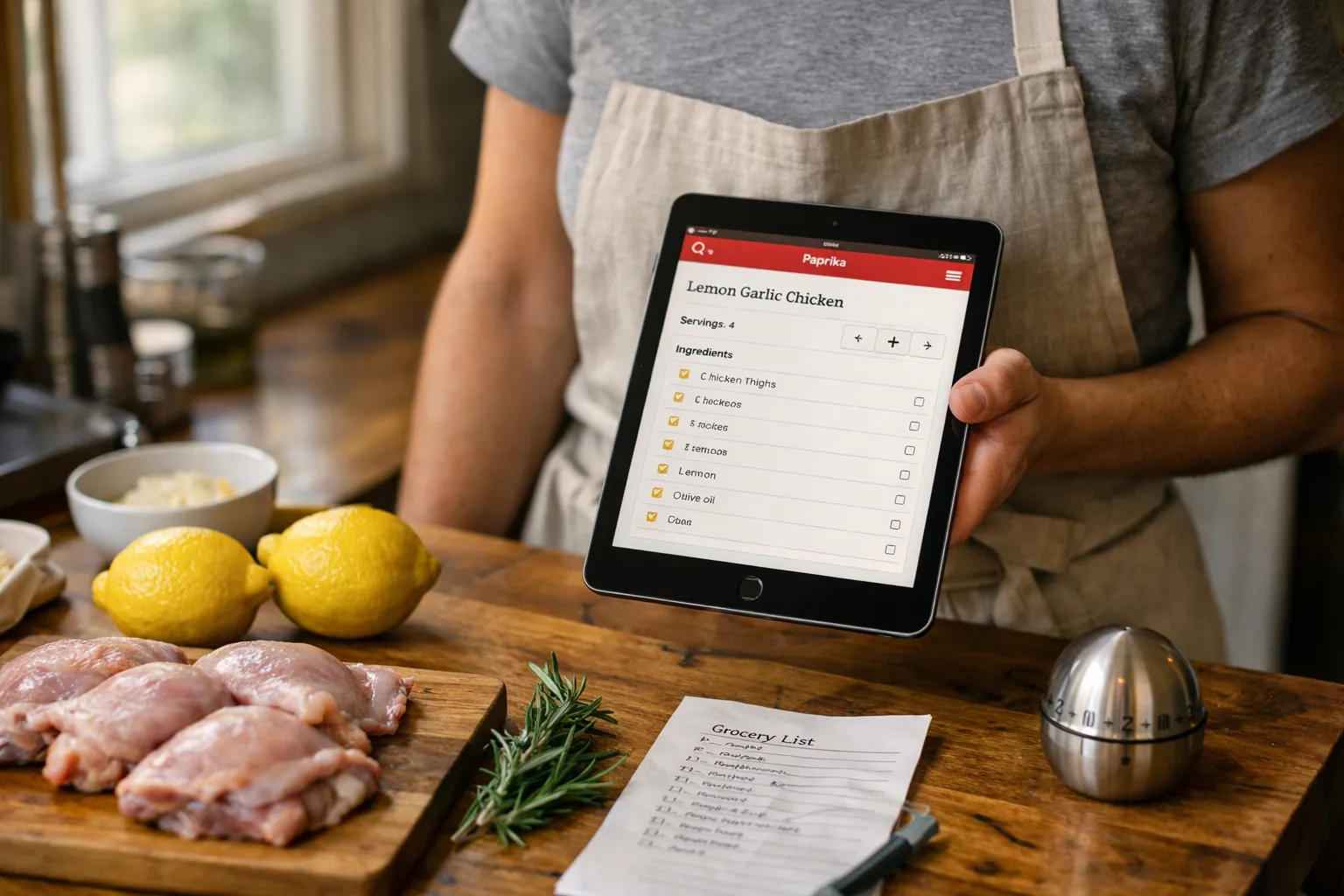
Overview — What are we reviewing?
Paprika Recipe Manager is a cross‑platform recipe organizer that helps home cooks save, edit, scale and execute recipes. Key specs at a glance (August 2026): available on iPhone/iPad, Android, macOS and Windows; one‑time purchase per platform; built‑in browser and extensions for web import; calendar meal planner; grocery lists grouped by aisle; offline local storage with optional Paprika Sync.
Background — Who makes this and who it's for
Paprika is developed and maintained as a small, independent product focused on practical kitchen workflows rather than subscription meal services or AI meal planning. Its primary audience remains enthusiastic home cooks who collect recipes from many sources, want reliable scaling, and prefer local or privacy‑friendly storage to a cloud‑first subscription model.
Features analysis — what works in 2026
Recipe import and parsing
Paprika’s built‑in browser and browser extensions continue to be the product’s core strength. Importing a URL still pulls title, ingredients, instructions and images into discrete fields for most mainstream recipe sites (New York Times Cooking, Serious Eats, BBC Good Food). Since mid‑2024 the developers have released incremental parsing updates that reduce errors on JavaScript‑heavy pages, though highly stylized sites and embedded recipe widgets can still require manual cleanup.
Practical tip: for printed recipes, use your phone’s Text Recognition (iOS Live Text or Google Lens) to copy text, then paste into Paprika — this avoids relying on unreliable PDF parsing.
Scaling and serving‑size precision
Serving‑size scaling remains one of Paprika’s standout, dependable tools. Adjusting portions updates ingredient quantities cleanly (fractions and common weight/volume conversions handled sensibly). For cooks who batch and portion meals — meal‑preppers, families, and makers of leftovers — this saves measurable time and reduces guesswork at the stove.
Meal planner, prep time and calendar sync
Paprika’s calendar lets you place recipes into days, set prep times and add notes such as “marinate overnight.” It does not generate automated weekly workload summaries or nutrition calendars; it’s intentionally lightweight. If you need calendar entries to appear in Google Calendar or Apple Calendar, export steps or use shortcuts/workflows — Paprika doesn’t offer two‑way calendar sync as of August 2026.
Grocery lists and pantry tracking
Grocery lists convert recipe ingredients into aisle‑grouped checklists you can edit and check off while shopping. The manual pantry feature lets you mark staples you already own to avoid duplicates. These tools are simple but effective for reducing waste and streamlining a shop — particularly for users who plan one consolidated shopping run from multiple recipes.
Privacy, offline access and sync
Paprika stores recipes locally by default and supports offline use — a practical advantage in busy kitchens with spotty Wi‑Fi. Paprika Sync is available to sync across devices; historically this syncing option has been offered without a recurring subscription (verify current terms in the app store). This local‑first approach appeals to cooks wary of handing recipe libraries and dietary data to ad‑driven platforms.
What's changed in 2026 — trends and context
Since 2024, the consumer cooking app landscape has split: several competitors adopted generative AI features (automated meal plans, nutrition estimates, shopping optimization), while a subset of users gravitated toward privacy‑first, deterministic tools. Paprika has stayed on the conservative side, improving parsing accuracy and UI polish rather than adding large AI features or subscription services. For users who want AI‑generated meal plans or automatic nutrition labeling, pairing Paprika with a dedicated nutrition app or using an AI assistant remains the simplest route.
Pros and cons — updated
- Pros: Robust, reliable import for most sites; excellent serving‑size scaling; practical grocery lists; offline access and local storage; straightforward, no‑nonsense interface; one‑time purchase model per platform (check current app store prices).
- Cons: No built‑in nutrition calculation or automatic dietary tagging; limited two‑way calendar or smart shopping integrations; occasional parsing errors on complex pages and PDFs; no integrated step‑by‑step video guidance or meal‑kit delivery.
Pricing and value (Aug 2026)
Paprika remains a one‑time purchase per platform rather than a subscription. As of August 2026, typical marketplace prices are approximately: iPhone/iPad — $4.99, Android — $4.99, macOS — $19.99, Windows — $19.99. Paprika Sync is available to sync across devices; historically it has been offered at no recurring charge, but terms can change — always confirm current pricing in the app store before purchase.
Value proposition: if you collect dozens to hundreds of recipes, prioritize reliable scaling and offline use, and prefer a pay‑once ownership model, Paprika delivers strong value. If you want AI nutrition breakdowns, dynamic meal plans or integrated grocery delivery, you’ll pay for those features elsewhere.
Who it’s for
- Recipe collectors who want a searchable, portable personal cookbook.
- Home cooks who rely on accurate portion scaling and printable recipes.
- Users who value offline access and prefer not to subscribe for sync or analytics.
Alternatives to consider
- Whisk — stronger web integrations and emerging AI meal‑planning features; good for users who want dynamic recommendations and shopping‑list automation.
- Plan to Eat — subscription service with a focus on meal planning and calendar workflows; better if you want integrated weekly planning tools and shared household accounts.
- Yummly — broader database, integrated video and some AI features (meal suggestions and nutrition estimates); more curated discovery but less local control than Paprika.
Tips to get the most out of Paprika in 2026
- Standardize a tag system on import (e.g., “GF,” “Vegan‑Swap,” “30‑min”) so you can filter quickly across hundreds of recipes.
- Use your phone’s Live Text or Google Lens to capture printed family recipes and paste them into Paprika rather than relying on PDF imports.
- Keep a handful of “template” recipes with common dietary swaps already applied — duplicate and edit these for new meals.
- Combine Paprika with a nutrition or AI meal‑planning app if you need calorie tracking or automated weekly plans; use Paprika as the reliable recipe library and the AI app for analysis or suggestions.
Verdict
For recipe enthusiasts in August 2026, Paprika remains a pragmatic, privacy‑minded choice. It does the fundamental tasks very well: importing most web recipes, scaling servings reliably, producing tidy grocery lists and working offline. It has not chased the AI subscription trend, which is a feature for some and a limitation for others. If your kitchen workflow centers on collecting great recipes and turning them into realistic, scaled meals, Paprika is one of the clearest, most dependable tools available.
FAQ — common questions (Aug 2026)
Does Paprika calculate nutrition or label recipes automatically?
No. Paprika does not provide automatic nutrition analysis or diet labels. You can add tags manually (e.g., “vegan,” “low‑carb”) or export recipe data to a nutrition calculator or third‑party app if you need calorie and macronutrient breakdowns.
Can Paprika sync across my phone, tablet and desktop?
Yes. Paprika offers a sync service (Paprika Sync) to synchronize recipes, grocery lists and calendars across devices. Historically this has been provided without a recurring fee, but you should confirm the current sync terms in the app when you install it.
How well does Paprika import recipes from tricky websites and PDFs?
Importing works cleanly for most mainstream recipe sites, but complex, interactive pages and many PDFs can require manual cleanup. For printed materials, use device text‑recognition (Live Text or Google Lens) and paste the text into Paprika to speed the process.
Should I choose Paprika or a subscription meal‑planning app?
Choose Paprika if you want ownership of a searchable recipe library, precise scaling and offline access. Choose a subscription app if you want automated weekly meal plans, recipe discovery with AI recommendations, integrated nutrition tracking or grocery delivery integrations.