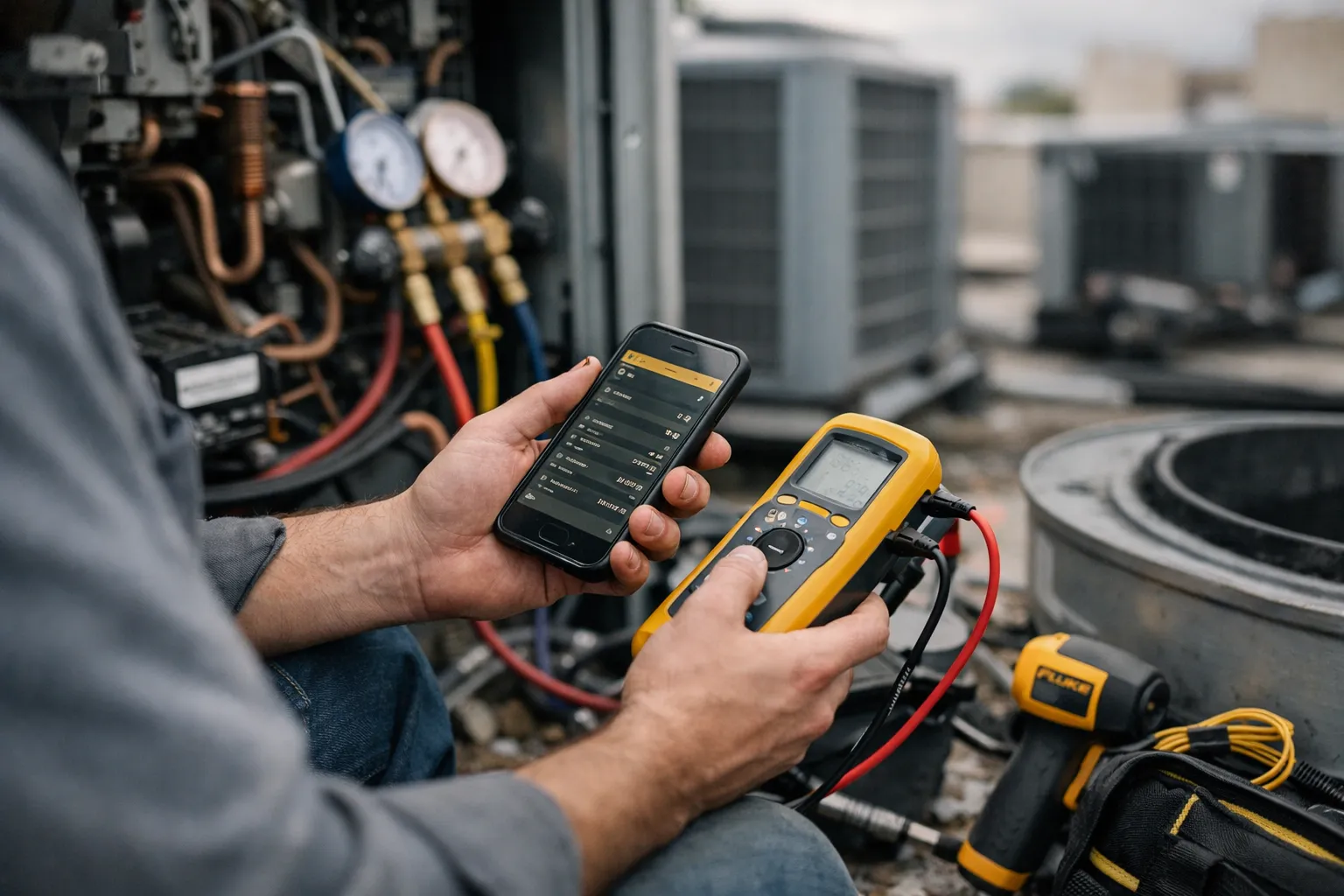
As digital workflows become standard on commercial HVAC service routes, Fluke Connect remains one of the most visible ecosystems promising faster diagnostics, cleaner documentation and remote collaboration. This September 2026 update revisits the 2026 field review with fresh examples, current best practices, integration guidance and an updated view of cost/value for contractors, facilities teams and HVAC enthusiasts.
Overview: What we’re reviewing
Fluke Connect is an instrument + software ecosystem: Bluetooth‑enabled test tools (clamp meters, digital multimeters, thermal cameras, temperature probes, insulation testers), a mobile app, cloud storage and collaboration features (live video, measurement packages, export). Key specs at a glance:
- Primary functions: spot measurements, photo/thermal documentation, timestamping/geotagging, team sharing (ShareLive/measurement packages).
- Typical field kit: true‑RMS clamp meter, handheld DMM, thermal imager, contact and air probes.
- Data export: PDF reports, CSV export of measurements (useful for CMMS import or Excel analysis).
Background: Who makes this and who it’s for
Fluke Corporation — long‑established in test & measurement — positions Fluke Connect at service contractors, multi‑tech field teams and in‑house facilities groups that need defensible inspection records. The product’s core audience in 2026 remains the same: teams that value repeatable, auditable spot checks and faster remote decision‑making more than continuous analytics.
Features analysis — what’s new and what still matters
1. Workflow and documentation (improved but familiar)
The Fluke Connect app continues to automate the basics: paired readings bundled with visible and thermal photos, timestamps and location metadata. In 2026 the app interface has become slightly faster at syncing larger thermal images and multi‑measurement packages; in practice that reduces the on‑site time spent composing reports by minutes per job. For warranty claims and owner reports, a single PDF that shows measured values alongside thermal and visible images remains highly effective.
2. Remote collaboration matured — but not a cure‑all
ShareLive (video plus measurement sharing) is still the fastest way to avoid an extra truck roll. In recent field work I guided a junior tech through isolating a failing run capacitor on a rooftop unit using live imagery and shared clamp meter readings — the fix required only the junior tech and standard parts. However, the success of remote collaboration depends on reliable cellular connectivity, a trained local tech to perform physical actions, and clear SOPs for safety and lockout/tagout.
3. Hardware quality and practical limits
Fluke hardware remains rugged and accurate for steady‑state electrical and thermal checks. The ecosystem is excellent for voltage/current checks, steady‑state motor current trending and thermal‑assisted coil diagnostics. Limits remain for transient analysis: if you need high‑sample‑rate waveform capture, inrush transient logging or deep scope‑level diagnostics you still need a dedicated handheld scope or high‑speed logger; the wireless instruments are optimized for spot checks rather than waveform forensic analysis.
4. Integration and exports — improved options, still some glue work
By 2026 the common workflow is hybrid: use Fluke Connect for capture, then push packaged PDFs/CSVs into a CMMS (e.g., UpKeep, Fiix, Hippo) via manual import or automation tools such as Zapier/Make/Power Automate. Some contractors have implemented middleware that pulls CSV exports nightly and attaches them to work orders; this reduces manual transcription but requires an internal IT step to automate reliably. Native two‑way BAS or CMMS integrations are still limited compared with enterprise telemetry platforms.
5. Security, accounts and subscriptions
Security practices have improved: MFA and single‑sign‑on (SSO) are now standard recommendations for team accounts. Contractors should plan an account governance policy (roles, device ownership transfers, and offboarding) before rolling out devices widely. Subscription tiers for cloud features remain common — budget for per‑user or per‑team cloud storage and feature access when estimating total cost of ownership.
Pros and cons — quick view
- Pros: fast, defensible documentation; rugged professional instruments; effective remote collaboration; reduced paperwork and clearer owner reports.
- Cons: higher up‑front cost to outfit crews; not designed for high‑speed transient diagnostics; integration into CMMS/BAS often requires middleware; ongoing subscription and account management overhead.
Pricing and value (practical numbers you can use)
Street prices as observed in 2026 (approximate ranges):
- True‑RMS clamp meter (Bluetooth): $250–$600
- Handheld digital multimeter (Bluetooth): $150–$400
- Thermal imager (entry to professional): $1,500–$6,000
- Temperature probes and accessories: $50–$300
- Cloud/subscription tiers: expect $10–$30 per user/month for team features and increased storage (varies by plan)
Example value calculation: if a senior tech’s time (drive + diagnostics) costs $150 per truck roll, avoiding one additional truck roll per month through remote collaboration offsets roughly $1,800 per year — enough to cover a kit and one year of subscriptions for many small teams. Your break‑even point depends on local labor rates, job density and how many techs share equipment.
Who it’s for — updated guidance
- Service contractors with multi‑tech teams or centralized dispatch: remote steering and standardized records reduce travel and rework.
- Facilities teams with multi‑site portfolios: consistent, timestamped records aid compliance and outsourcing decisions.
- Companies that must produce defensible evidence for warranty, insurance or regulatory audits.
When it’s overkill
Single independent technicians who rarely share job data, or teams whose diagnostics routinely demand high‑speed waveform work, may find the cost and subscription model unnecessary. For transient capture needs, pair the Fluke Connect kit with a dedicated handheld scope or specialized logger rather than relying solely on the ecosystem.
Practical 2026 field tips and updated best practices
- Phased rollout: equip one diagnostics lead per crew first, standardize templates and naming conventions, then expand once the office workflow is ironed out.
- Automate exports: set a weekly job to export CSV/PDF packages and ingest them into your CMMS using Zapier/Make or a simple script to avoid vendor‑cloud lock‑in for records.
- Account governance: enforce SSO/MFA, device ownership tracking and a documented offboarding checklist when techs leave.
- Combine tools: use Fluke Connect for spot measurements and imagery, and a handheld scope or high‑speed logger for inrush/transient forensic work.
- Photo discipline: thermal images must be paired with visible photos and probe placement notes — good photos cut ambiguity in half.
Alternatives to consider
- Testo Smart Probes — lower‑cost smart tool ecosystem with strong HVAC‑specific probes (temperature, humidity, pressure).
- Fieldpiece Job Link — HVAC‑focused wireless instruments and app workflows designed around refrigeration and duct diagnostics.
- Klein Tools and Flir (for thermal) — single‑tool alternatives if you don’t need a full Bluetooth ecosystem.
Verdict
Fluke Connect in September 2026 remains a strong choice for HVAC service teams that prioritize repeatable, auditable spot measurements and the ability to coordinate remotely across crews. It is not a substitute for continuous monitoring or scope‑level transient analysis, but when used as part of a hybrid toolkit it reduces administrative friction and unnecessary truck rolls. For contractors, the right approach in 2026 is phased adoption: equip a lead tech, standardize templates and integrations, then expand the footprint once documented time‑savings appear on dispatch reports.
FAQs
Do I need subscriptions to use Fluke Connect?
Basic pairing and local measurement capture typically work without a paid subscription, but features like extended cloud storage, team management, and some sharing/export options are usually tied to paid tiers. Expect to budget for at least one subscription seat when rolling out across crews.
Can Fluke Connect replace a handheld oscilloscope for motor inrush or transient faults?
No. Fluke Connect instruments are excellent for steady‑state voltage/current and thermal checks. For inrush, waveform capture or transient fault analysis you still need a dedicated scope or high‑speed logger; many teams pair both tools.
How do I integrate Fluke Connect data into my CMMS?
Use the app’s PDF/CSV export features and import files into your CMMS, or automate the process with middleware (Zapier, Make, Power Automate) or a small IT script that pulls exports and attaches them to work orders. Expect an initial IT/setup effort to automate reliably.
Is the system secure for sensitive sites?
Transmission and cloud storage are encrypted, but secure practice requires MFA/SSO, account governance, and documented retention policies. For high‑security sites, coordinate with the client’s IT/security team before using vendor cloud storage for facility imagery or layout information.
Which instruments should I buy first for a phased rollout?
Start with a Bluetooth clamp meter, one Bluetooth DMM, a thermal imager (if thermal diagnostics are frequent) and a set of temperature probes. Assign them to a lead diagnostics tech and standardize templates before buying additional units for junior techs.