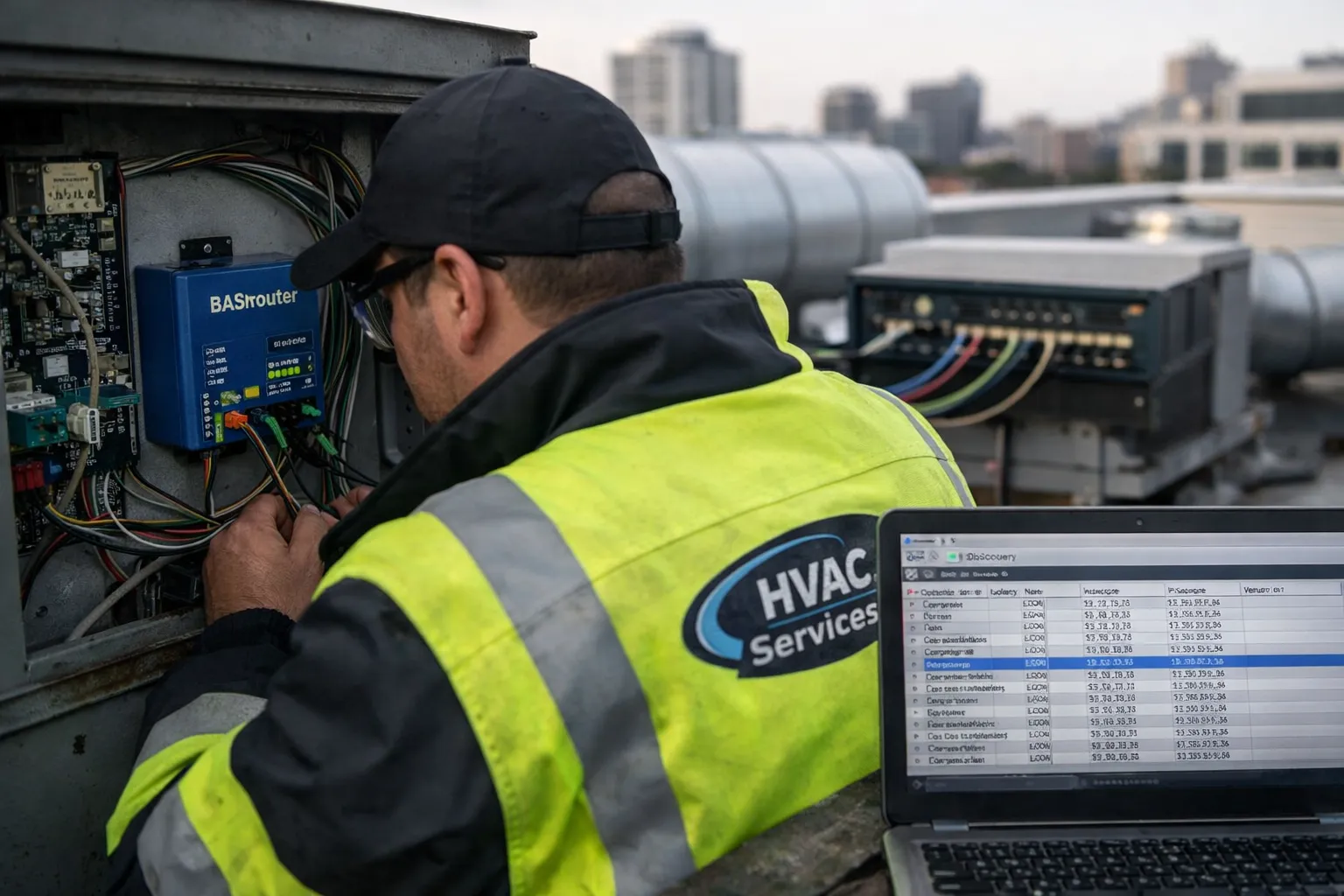
Many small- and mid‑size commercial buildings still rely on legacy packaged rooftop units (RTUs) with proprietary or unit‑level controls. Connecting these assets to modern building automation and cloud analytics platforms requires a reliable retrofit strategy that preserves control, exposes the right data, and protects the building from cyber risk. This guide walks through a practical, field‑tested process (2026 best practices) to retrofit RTUs to BACnet/IP and add an MQTT bridge for cloud analytics and third‑party applications.
Scope and outcomes
This guide targets field technicians and HVAC enthusiasts performing light‑commercial retrofits. After completing the steps you will be able to:
- Physically connect one or multiple legacy RTUs to a BACnet/IP network
- Translate unit points into BACnet objects and expose them over IP
- Deploy an MQTT bridge to publish a curated set of telemetry and alarms to a cloud or edge broker
- Implement baseline cybersecurity: VLANs, TLS, certs, and least privilege
- Commission and verify functionality with clear test procedures
Why BACnet/IP + MQTT?
BACnet/IP gives building systems visibility and control inside the BAS; MQTT provides a lightweight, publish/subscribe pathway to cloud analytics and managed services. Separating the two preserves controls (local BACnet) while enabling remote telemetry and event publishing via MQTT. In 2026 this hybrid approach is common for projects where full cloud‑native controls are not required but analytics/energy programs are desired.
Pre‑installation checklist
- Inventory of RTUs: model, control board type, communications (Modbus RTU, proprietary serial)
- Site network access: managed switch with spare PoE port or local power for gateways
- Gateway hardware candidates (see recommendations below)
- MQTT broker account (cloud or edge) and certificate/policy details
- Tools: multimeter, clamp ammeter, laptop with BACnet scanning software (e.g., YABE or BACnet Stack app), serial/USB adapters
- Commissioning forms and trend logging plan
Hardware selection (examples)
Choose components that match the RTU communications and site network. Typical stack:
- MS/TP to BACnet/IP router: Contemporary Controls BASrouter, Kele BAS RTU router, or equivalent
- Protocol gateway with MQTT support (if you want direct RTU→MQTT): Sierra Monitor FieldServer, Contemporary Controls BASgateway2, or an edge controller running Node‑RED/Lua
- Managed PoE switch and small firewall or router (supports VLANs and ACLs)
- MQTT broker: Mosquitto (edge), HiveMQ Cloud, or AWS/Azure IoT Core depending on cloud stack
Note: Some installations use two devices (a BACnet router plus a separate MQTT bridge). Others use a single multifunction gateway that speaks BACnet and publishes MQTT. The multi‑device approach simplifies segmentation and fault isolation.
Step 1 — Site planning and point selection
Identify which points to expose. Too many points creates noise — be selective. Typical minimum set for each RTU:
- Operating mode (heat/cool/auto)
- Space setpoint and current space temp
- Supply air temp and duct static pressure
- Fan status and speed (on/off/variable)
- Compressor status and stage
- Alarms/faults (high discharge temp, low airflow, condensate alarm)
- Runtime hours and energy proxy (amps, kW estimate)
Map these to BACnet objects: Present_Value for sensors, Binary_Inputs for discrete statuses, Analog_Outputs for setpoints if remote control is required. For MQTT, publish a smaller curated payload optimized for analytics (e.g., temps, runtime, fault codes).
Step 2 — Physical wiring and MS/TP best practices
Install the MS/TP wiring from the RTU control board to the gateway/router using a shielded twisted pair. Key points:
- Use proper termination resistors (120 Ω) at both ends of the MS/TP trunk.
- Set unique MAC addresses and proper MS/TP baud (typically 76,800 or 57,600 depending on equipment).
- Maintain daisy‑chain topology; avoid star wiring.
- Ground the cable shield at one end only (usually at the gateway).
- Separate power and audio/data cables to minimize noise.
Step 3 — Configure BACnet/IP on the gateway
Initial steps using gateway web UI or serial console:
- Set device instance number and object names to match RTU ID (consistent naming helps future troubleshooting).
- Enable BACnet/IP and assign a static IPv4 address, subnet mask, and gateway. Use site IP scheme and reserve addresses in DHCP if static required.
- Configure BBMD only if crossing subnets — avoid unless needed.
- Scan MS/TP for discovered devices and import point lists where supported.
Step 4 — Point mapping and BACnet object creation
Map RTU variables to BACnet objects:
- Analog Input: supply_air_temp → AI_1
- Analog Input: return_air_temp → AI_2
- Binary Input: compressor_on → BI_1
- Binary Output or Analog Output (optional): setpoint_override → AO_1
Document object instance numbers and description fields. If the gateway supports auto‑import, verify scaling and units (°C/°F, Pa vs in‑wc). Apply linear scaling on the gateway if the RTU reports raw counts.
Step 5 — MQTT bridge configuration
Decide whether the gateway will publish MQTT directly or if you will use an edge controller (Node‑RED or Linux box) to translate BACnet to MQTT.
Typical MQTT best practices:
- Use MQTT over TLS (MQTTS) with server authentication and client certs where possible.
- Adopt a clean topic namespace: building/{site}/{rtu}/{point} — e.g., building/1234/RTU‑A1/supply_temp
- Publish JSON payloads with timestamp (ISO 8601 UTC), quality flags, and raw value, e.g. {"ts":"2026-11-03T12:00:00Z","v":55.4,"u":"F","q":"good"}
- Rate‑limit telemetry (typical telemetry 1–5 min; alarms/events push immediately).
- Use retained messages only for static configuration/state values like device metadata.
Step 6 — Network segmentation and cybersecurity
Protect the BAS and MQTT pathways with layered controls:
- Place gateways on a dedicated VLAN; block lateral traffic to corporate networks.
- Enforce access control lists (ACLs) on the edge router limiting destinations and ports (BACnet/IP 47808, MQTT 8883).
- Use TLS 1.2+ with mutual authentication for MQTT; rotate certs annually or per policy.
- Change default admin credentials and implement strong passwords or certificate‑based admin access.
- Implement monitoring: Netflow, IDS/IPS, and logging to a secure SIEM.
- Follow NIST SP 800‑82 and relevant local regulations for ICS/BAS security.
Step 7 — Commissioning tests and acceptance
Run structured tests and document results:
- BACnet discovery: Verify the BAS can see each RTU device and all expected objects. Record device instance numbers.
- Point functional test: Toggle each binary point and observe the RTU response. For analog points, change setpoints and confirm control loop response.
- MQTT publish: Validate that the broker receives messages with correct topic, payload, and timestamp. Check retained values for metadata.
- Alarm propagation: Force a fault (where safe) and verify immediate MQTT publish and BAS alarm mapping.
- Latency and data integrity: Measure end‑to‑end latency (RTU→gateway→broker) and confirm no data loss under normal operating telemetry rates.
- Failover behavior: Disconnect the MQTT broker (simulate cloud outage) and confirm local control remains intact and telemetry buffers as expected.
Acceptance criteria (example)
- 90% of selected telemetry points publish every 5 minutes with 2% message loss over a 24‑hour period.
- Alarms delivered within 30 seconds of event.
- Local control unchanged; no unauthorized setpoint writes from cloud unless explicitly enabled.
Common issues and troubleshooting
- MS/TP noise or missing devices — check termination, baud mismatch, and shield grounding.
- Incorrect scaling — review raw counts and unit settings on the gateway; apply linear transforms.
- MQTT connection drops — check TLS cert validity, broker limits (connections/throughput), and network MTU issues.
- Duplicate BACnet device instances — ensure unique instance numbers; change on gateway if needed.
- Unexpected control overrides — verify write access rules; implement write filters to prevent unauthorized AO writes.
Field example (condensed)
At a 50,000 ft² retail site in 2026 we upgraded four legacy RTUs. Hardware used: Contemporary Controls BASrouter for MS/TP→IP, a FieldServer gateway for BACnet→MQTT, and Mosquitto running on a local edge VM. Points chosen were supply temp, return temp, compressor state, fan status, runtime hours, and condensate alarm. Commissioning revealed an MS/TP baud mismatch on one unit (device default 76,800 while others at 57,600). After correction and adding termination, discovery and mapping completed in under four hours per unit. MQTT payloads were sent every 2 minutes and alarms were set to publish immediately. Local control remained under BAS; cloud writes were disabled except for a managed remote setpoint override that required mutual TLS and IP allowlist.
Operational tips and maintenance
- Log gateway firmware and plan updates quarterly; prefer vendors with signed firmware and SBOMs.
- Monitor broker quotas and implement backpressure to avoid spikes during mass commissioning or failure events.
- Keep a point mapping spreadsheet and naming standard (site‑rtu‑point) and store it in a versioned repository.
- Train operations staff on where to find local overrides and how to isolate the gateway during troubleshooting.
Checklist for handoff
- Device inventory and IP addressing sheet
- Point mapping table with BACnet object IDs and MQTT topics
- Commissioning log and acceptance test results
- Credentials and certificate store (securely handed off)
- Operational runbook for common scenarios (broker outage, MS/TP fault)
Conclusion
Retrofitting rooftop units to BACnet/IP with an MQTT bridge is an effective way to modernize legacy assets while retaining local control and gaining access to cloud analytics. Success depends on careful planning: select appropriate hardware, implement MS/TP best practices, curate points for telemetry, and harden the network. With structured commissioning and clear operational handoff, you can deliver measurable visibility and analytics without compromising reliability or security.
For technicians: prioritize unique device instance numbering, confirm MS/TP wiring and termination, and validate TLS and certificate exchange before putting a system into production. For managers: require documentation, firmware provenance, and a plan for cert rotation and lifecycle updates.